ZQL Reference
- Nirav Shah (Deactivated)
- Edward Stolyar (Deactivated)
- Kevin Pham (Deactivated)
|

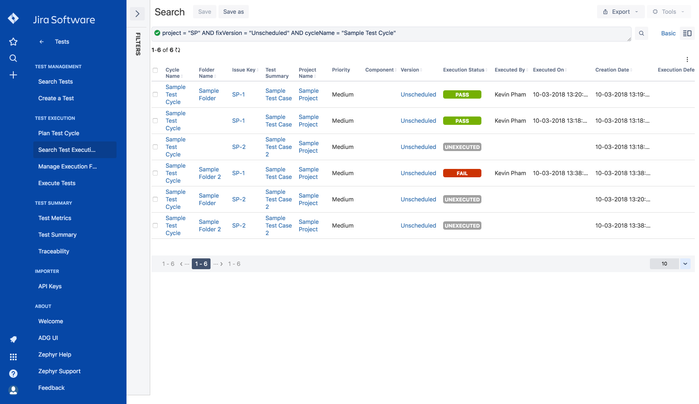
ZQL is a simple structured query language that allows you to string together the right fields to search using specific values with the appropriate operators and keywords. The text box allows auto-completion making it easy to construct a query. With the cursor in the search box, select the spacebar on your keyboard to be shown a list of fields, operators, keywords and values.
For example, if you are looking for all the test executions with a specific execution status in the 'SM Portfolio' project, you would enter a query that looked like this:
project="SM Portfolio Project" and executionStatus=PASS
Here, the project and executionStatus are fields, SM Portfolio Project and PASS are the values, joined together by the keyword 'and' with the operator =
| List of Fields |
|---|
| assignee |
component |
| creationDate |
| cycleName |
| executedBy |
| execution |
| executionDate |
| executionDefectKey |
| executionStatus |
| fixVersion |
| folderName |
| issue |
| label |
| priority |
| project |
| List of Operators |
|---|
| = |
| != |
| <= |
| >= |
| > |
| < |
| is not |
| is |
| not in |
| in |
| List of Keyword |
|---|
| AND |
| OR |
| NOT |
| ORDER BY |